
Game Overview
What is Hexotopia?
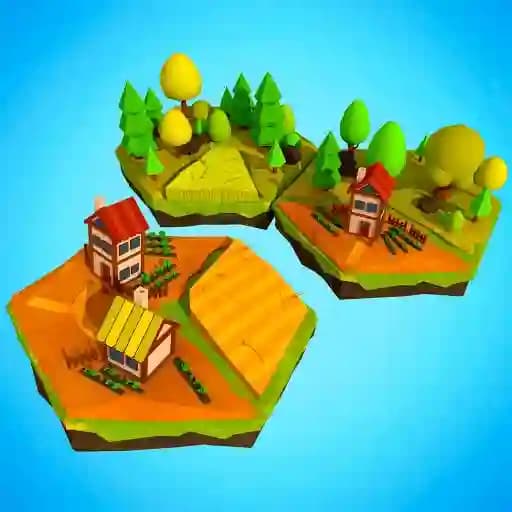
Hexotopia is a relaxing urban planning puzzle game where you place hexagonal tiles (hexes) on a board to create beautiful and intricate landscapes. With its calming gameplay and creative freedom, Hexotopia offers a therapeutic experience perfect for unwinding while challenging your spatial reasoning and planning skills.
Game Features
• Infinite Playable Grid: Explore and build on a vast, open board with no boundaries.
• Rotatable Hex Tiles: Rotate tiles to fit perfectly into your design, allowing for endless possibilities.
• Adaptive Soundtrack: The music evolves based on your progress, enhancing the immersive experience.
• Minimalistic Art Style: Clean, vibrant visuals that focus on simplicity and creativity.
• Progress Saving: Save your work and return later to continue building your masterpiece.
• Shareable Creations: Showcase your designs with friends or the community.
How to Play Hexotopia?
- Launch the Game: Start by opening Hexotopia on your preferred device.
- Camera Controls: Use WSAD keys to move the camera around the board.
- Zoom In/Out: Adjust your view with the mouse wheel to focus on details or see the big picture.
- Place Hex Tiles:
- Hold the left mouse button to pick up a hex tile.
- Drag the tile to your desired location on the board.
- Release the button to place the tile.
- Rotate Tiles: Hover over a placed hex and click the left mouse button to rotate it for a better fit.
- Interact with UI: Use the left mouse button for all other actions, such as clicking the "Install" button.
Frequently Asked Questions
What devices is Hexotopia available on?
Hexotopia is playable on both PC and mobile devices (iOS and Android).
Can I rotate tiles after placing them?
Yes! Simply hover over a placed hex and click the left mouse button to rotate it.
Is Hexotopia free to play?
Hexotopia is free to play, but you may want to check the official website for any in-game purchases or specific terms.