
Game Overview
What is Starship Defender?
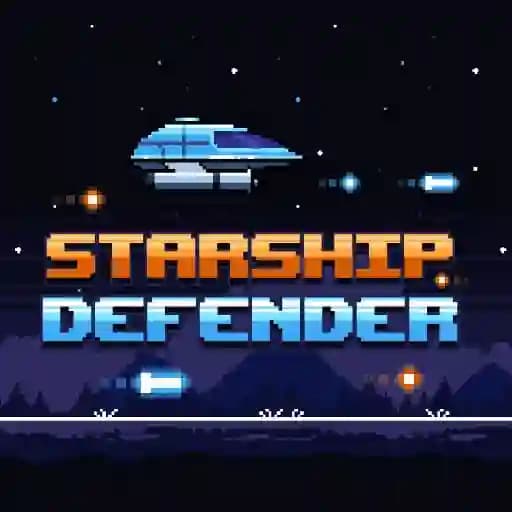
Starship Defender is a space-themed defense game where players take on the role of a commander tasked with protecting their space sector from an invading alien force. Navigate a battle-tested starship through a field of enemy lasers and shoot down enemy starships to prevent them from kidnapping scientists. This game offers a thrilling experience with retro-themed pixel graphics and fast-paced, responsive gameplay.
Game Features
• Responsive Controls: Maneuver your starship with precision to avoid enemy fire and debris.
• Endless Gameplay: Defend your sector for as long as possible against a continuous wave of enemies.
• Pixel Graphics: Enjoy beautifully crafted retro-style visuals that bring the space battle to life.
• Power-Ups: Collect power-ups to extend your chances of survival and upgrade your ship's capabilities.
• Nuclear Option: When overwhelmed, press E to activate a devastating nuclear strike to clear the screen of enemies.
• Challenging Enemies: Face a variety of enemy ships, including abduction vessels trying to kidnap your scientists.
How to Play Starship Defender?
- Navigate Your Starship: Use the arrow keys or touchscreen controls to move your ship across the battlefield.
- Shoot Enemies: Press the spacebar or tap the screen to fire lasers at incoming enemy ships.
- Avoid Lasers: Steer your ship to evade laser beams and debris from destroyed enemies.
- Collect Power-Ups: Grab power-up items to gain temporary advantages, such as increased fire rate or shields.
- Activate Nuclear Option: If overwhelmed, press E to unleash a nuclear strike that destroys all enemies on the screen.
- Prevent Abductions: Protect your scientists by shooting down abduction ships before they reach them.
Frequently Asked Questions
What causes the game to end?
The game ends when an enemy ship successfully kidnaps one of your scientists. Prevent this by shooting down abduction ships before they reach their target.
How do I collect power-ups?
Power-ups appear randomly after defeating enemies. Navigate your ship to the power-up icon to collect it and activate its effect.
Can I pause the game?
Yes, you can pause the game at any time to take a break or plan your strategy. Use the pause button (if available) or check the in-game options.