
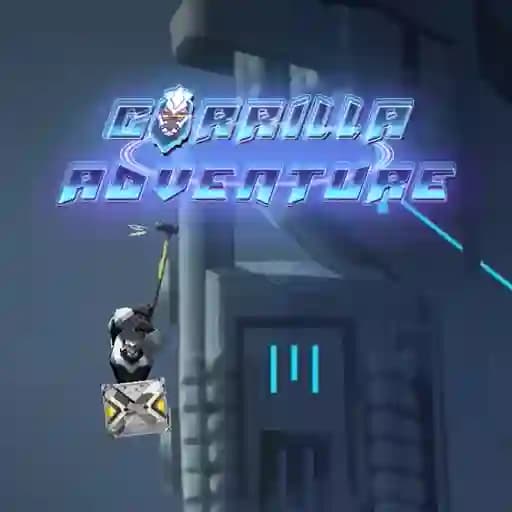
Game Overview
What is Gorilla Adventure?
Gorilla Adventure is an open-world, action-adventure platform game set in a mysterious and eerie nocturnal cityscape. The game explores a world where technological advancements have disrupted the natural balance, creating a unique and immersive environment. Players take on the role of a gorilla, utilizing a powerful hammer to navigate and climb through the city, aiming to reach new heights and set records. The game combines skill-based mechanics with an exhilarating climbing experience, making it a thrilling adventure for players.
Game Features
- Skill-based gameplay: Master the art of hammer swinging to climb higher and faster.
- Open-world environment: Explore a futuristic, nocturnal city filled with electronic marvels and hidden challenges.
- Action-adventure platforming: Combine climbing and exploration in a dynamic platforming experience.
- Simple yet addictive mechanics: Easy-to-learn controls with depth for advanced players.
- Kid-friendly content: Suitable for all ages with non-violent and cruelty-free gameplay.
How to Play Gorilla Adventure?
- Use your mouse to climb: Click and hold to swing your hammer and latch onto surfaces, propelling your gorilla upward.
- Master the timing: Release your mouse click at the right moment to swing further and climb higher.
- Use checkpoints: Press the [C] key to save your progress at specific points, allowing you to restart from there if you fall.
- Aim for the top: Keep climbing and swinging to reach new heights and beat your previous records.
Frequently Asked Questions
What is the main objective of Gorilla Adventure?
The main objective is to climb as high as possible using your hammer, setting new records and mastering the art of hammer swinging.
How do I control the gorilla?
You control the gorilla by using your mouse to swing and climb. Press the left mouse button to latch onto surfaces and swing, and release to propel upward.
Is Gorilla Adventure suitable for children?
Yes, Gorilla Adventure is kid-friendly, with no blood or cruelty, making it suitable for players of all ages.
How do I save my progress?
You can save your progress by pressing the [C] key at checkpoints, allowing you to restart from that point if you fall.
What makes the game challenging?
The game's skill-based mechanics require precise timing and aiming to climb efficiently, making it both challenging and rewarding.