
Game Overview
What is Elite Racing?
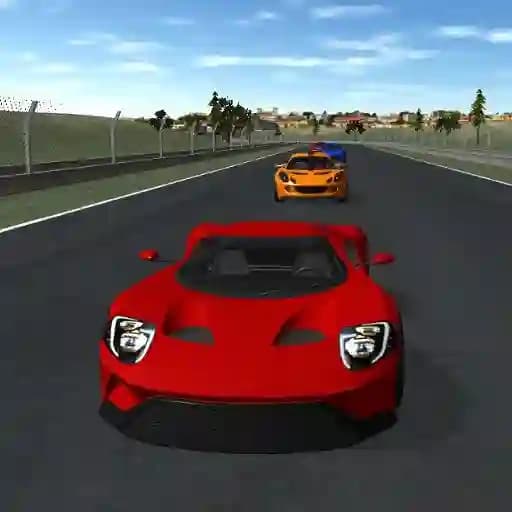
Elite Racing is an adrenaline-packed car racing game that puts speed and skill in the driver's seat. Get behind the wheel of high-performance vehicles and compete across multiple challenging tracks against intelligent AI opponents. With multiple cars, tracks, and game modes, the game delivers exciting racing action every time you play. Developed by JulGames using WebGL technology, Elite Racing offers a smooth, fast-paced experience that both racing rookies and veterans will enjoy. Show off your personal style with car color customization and analyze your performance with the game's built-in replay system.
Game Features
• Extensive Vehicle Selection: Access multiple high-performance cars through the in-game shop.
• Multiple Game Modes: Experience varied racing challenges across different gameplay modes.
• Dynamic Tracks: Race on multiple distinctive tracks, each with unique layouts and challenges.
• Smart AI Competition: Challenge yourself against intelligent AI drivers that test your racing skills.
• Fully Functional Replay System: Watch your best performances back to improve your technique.
• Car Customization: Change your car's color to personalize your vehicle before hitting the track.
How to Play Elite Racing?
- Select your racing mode from the main menu to begin your racing journey.
- Choose your preferred vehicle and use the customization options to select your car's color for a personal touch.
- Pick your racing track from the available selections to find your perfect racing environment.
- Accelerate using the Up Arrow key to build up speed and leave your competitors behind.
- Decelerate and brake with the Down Arrow key to control your speed through corners.
- Steer your car left and right using the Left and Right Arrow keys to navigate the track and avoid obstacles.
- Compete against AI opponents by outmaneuvering them and aiming for the checkered flag.
- Use the replay system after the race to review your performance and improve your racing technique.
- Master cornering techniques by combining braking and steering inputs for faster lap times.
- Experiment with different cars to find the vehicle that best matches your driving style.
Additional Controls: You can also use the W, A, S, D keys for acceleration, left steering, braking, and right steering respectively. For even more precise control, use the Z and X keys for handbrake turns and gear shifting during intense racing moments.
Pro Tip: Try using quick A key and D key taps for gentle steering corrections to maintain control at high speeds, and hold the Down Arrow key before sharp turns to slow down effectively.
Frequently Asked Questions
What makes Elite Racing different from other racing games?
Elite Racing stands out with its built-in replay system that lets you analyze every turn and its extensive customization options including multiple cars and color choices for a personalized racing experience.
Can I modify my car's appearance in the game?
Absolutely! Elite Racing includes a car color customization feature that lets you choose from various colors to give your vehicle a unique look that stands out on the track.
What should I do if I'm having trouble winning races?
Use the replay system to identify where you can improve your racing line and braking points. Experiment with different car choices to find one that better suits your driving style, and practice maintaining speed through corners by tapping the arrow keys rather than holding them down.