
Game Overview
What is Dots and Boxes?
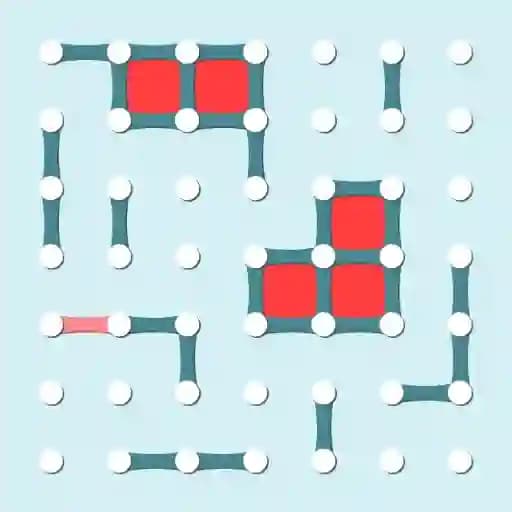
Dots and Boxes is a logic-based game that brings a colorful twist to the classic pencil-and-paper game. Players take turns drawing lines between adjacent dots to create boxes. The goal is to outsmart your opponent, whether it's the computer or a friend, and fill the board with as many boxes as possible. This game is perfect for those who enjoy strategic thinking and quick reflexes.
Game Features
• Turn-based gameplay: Take turns drawing lines to outwit your opponent.
• Computer opponents: Choose between Easy or Hard difficulty levels to challenge your skills.
• Local multiplayer: Play against a friend in hotseat mode for some friendly competition.
• Customizable board size: Select your preferred board size to match your playstyle.
• Quick Game mode: Start with pre-filled lines to jump straight into the action and scoring.
How to Play Dots and Boxes?
- Start by drawing lines: Click and drag to draw a line between two adjacent dots. Lines can be drawn either horizontally or vertically.
- Complete a box: If you close a box by drawing the last side, you score a point and get another turn.
- Keep playing: Continue taking turns until all possible boxes are filled.
- Win the game: The player with the most boxes at the end of the game is declared the winner.
Frequently Asked Questions
How do I draw lines between dots?
To draw a line, simply click and drag your mouse between two adjacent dots. You can draw lines either horizontally or vertically.
How do I score points?
You score a point by completing a box. When you draw the last side of a box, it fills with your color, and you earn a point.
What is Quick Game mode?
Quick Game mode starts with a board that already has some lines drawn, allowing you to focus on completing boxes and scoring points faster.