
Game Overview
What is Zombie Survival?
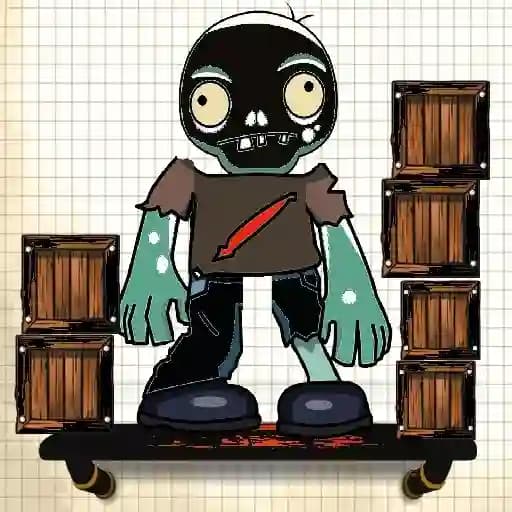
Zombie Survival is a fun HTML5 point-and-click game designed for all zombie enthusiasts. The objective is to guide a cute little zombie to a designated platform area to clear each level and progress to the next. The game challenges players to use logic and timing to navigate the zombie safely, considering the physics of bouncing and object removal. Suitable for players of all ages, Zombie Survival offers a unique blend of puzzles, strategy, and entertainment.
Game Features
• Point-and-Click Mechanics: Simple yet engaging gameplay where players interact by clicking or tapping objects.
• Physics-Based Levels: Levels feature bouncing mechanics, requiring players to calculate timings and trajectories.
• Logic Puzzles: Each level presents a new challenge, demanding careful planning and execution.
• Progressive Difficulty: As players advance, levels become increasingly complex and require more precise actions.
• Cute Zombie Character: The game stars a charming zombie that adds a lighthearted touch to the survival theme.
• Mobile-Ready: Optimized for play on both desktop and mobile devices.
• Family-Friendly: Suitable for kids and adults alike, with no blood or cruelty involved.
How to Play Zombie Survival?
- Start the Game: Click or tap to begin the first level.
- Interact with Objects: Click or tap on objects in the environment to remove them from the stage.
- Guide the Zombie: Use the physics of bouncing to direct the zombie toward the platform area.
- Avoid Falling: Ensure the zombie does not fall off the screen or miss the platform.
- Complete the Level: Successfully land the zombie on the platform to clear the level and unlock the next one.
- Aim for Perfection: Try to complete each level with precision to earn the highest rating (3 stars).
Frequently Asked Questions
What is the main goal of the game?
The main goal is to guide the zombie to the platform area by removing objects and using physics to navigate safely.
How do I remove objects from the stage?
You can remove objects by clicking or tapping on them with your mouse or finger (on mobile devices).
Why does the zombie sometimes fall off the screen?
If the zombie is not directed properly or the timing of object removal is incorrect, it may fall off the screen, resulting in a failed attempt.