
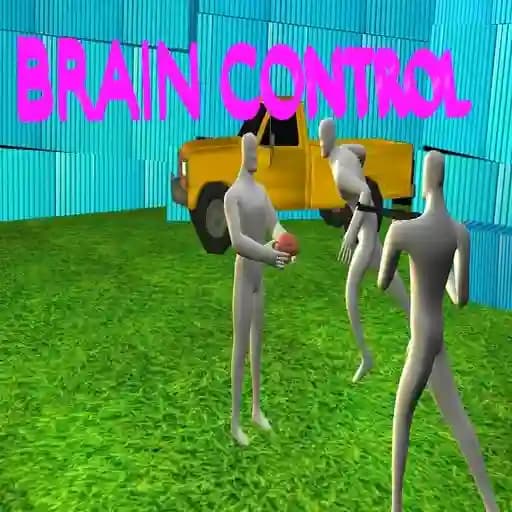
Game Overview
What is Brain control?
Brain control is a 3D action fighting game where players take on the role of Agent Charls, a special government agent tasked with stopping unethical scientific experiments. The game is set in a laboratory where scientists, funded by the mafia, are attempting to communicate with a brain outside the body and keep it alive artificially. Charls must use stealth, precision, and combat skills to sabotage the experiments and eliminate the threat.
Game Features
• 3D WebGL Graphics: The game features high-quality 3D graphics powered by a WebGL engine, making it playable directly in web browsers.
• Stealth Mechanics: Players can use stealth to avoid detection by guards and take them down silently.
• Advanced Hitboxes: Characters have detailed hitboxes, allowing for sensitivity to damage in different body parts (head, arms, legs).
• Interactive Combat: Engage in hand-to-hand combat or use weapons to take down enemies. Special moves, such as grabbing enemies from behind, add an artistic and enjoyable touch.
• Character Rotation: The ability to rotate the character’s hips allows for dynamic movement and aiming.
• Short Missions: The game is divided into smaller missions, making it easy to play in shorter sessions without requiring a large download.
How to Play Brain control?
- Press Space to start the game.
- Press W to move forward.
- Press A/D to move sideways.
- Press S once to duck.
- Press S twice to lie on the floor and crawl.
- Press Left Mouse Click to punch.
- Press Right Mouse Click to point your weapon.
- Press Enter to interact with objects.
Frequently Asked Questions
What is the objective of the game?
The objective is to stop the unethical experiments by sabotaging the laboratory and eliminating the scientists and guards.
Can I play with other players?
Yes, the game supports multiplayer mode, allowing you to fight against other players online.
How do I aim and shoot enemies?
Use the Right Mouse Click to point your weapon at enemies and click to shoot. You can also use melee attacks by clicking the left mouse button.