
Game Overview
What is Words Swipe?
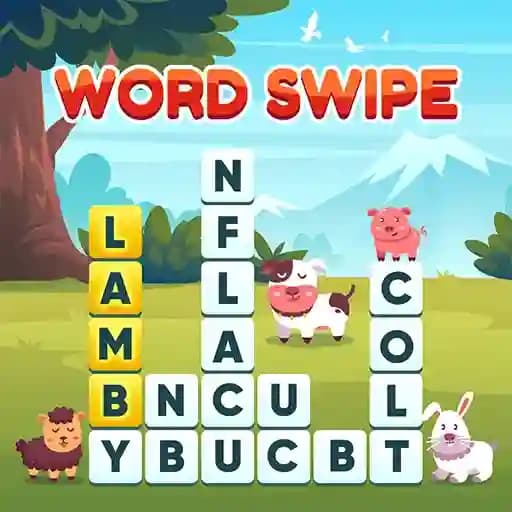
Words Swipe is a fun and engaging crossword-style word game where players connect letters to form meaningful words. Developed by DoonDookStudio, the game features a sleek design and intuitive gameplay. With blocks containing letters, the objective is to swipe and create words that match the hints provided. Once a word is correctly formed, the letters disappear, and the goal is to find all the words to progress through levels. The game includes helpful features like hints and assistance options to aid players in finding the right words.
Game Features
• HTML5 Compatibility: Works seamlessly across devices and browsers.
• Beautiful Design: Attractive visuals and user-friendly interface.
• Hint System: Provides clues for each word at the top of the screen.
• Help Options: Assists players in finding correct words when stuck.
• Progressive Levels: Each level requires finding all hidden words to advance.
• Word Destruction: Correctly formed words disappear, making room for new letters.
How to Play Words Swipe?
- Start the Game: Begin by looking at the grid of letter blocks on the screen.
- Swipe Letters: Use your mouse or touchscreen to connect adjacent letters by swiping in any direction (horizontally or vertically) to form a meaningful word. For keyboard play, use the arrow keys or WASD to navigate and select letters, then press Enter to confirm your word.
- Match the Hint: Ensure the word you create matches the hint provided at the top of the screen.
- Destroy Letters: Once a correct word is formed, the letters disappear, and new letters may fall into place.
- Find All Words: Continue creating words until all required words for the level are found.
- Use Help Options: If stuck, utilize available help options to reveal letters or hints.
- Advance Levels: Complete the current level to unlock the next one and progress through the game.
Frequently Asked Questions
What happens when I form a correct word?
When you form a correct word, the letters disappear, and new letters may drop into their place, allowing you to continue finding more words.
Can I use hints or help options?
Yes, the game provides hints for each word at the top of the screen, and you can use additional help options to assist in finding the correct word.
How do I progress through levels?
You progress through levels by finding and creating all the required words for the current level. Completing a level unlocks the next one.