
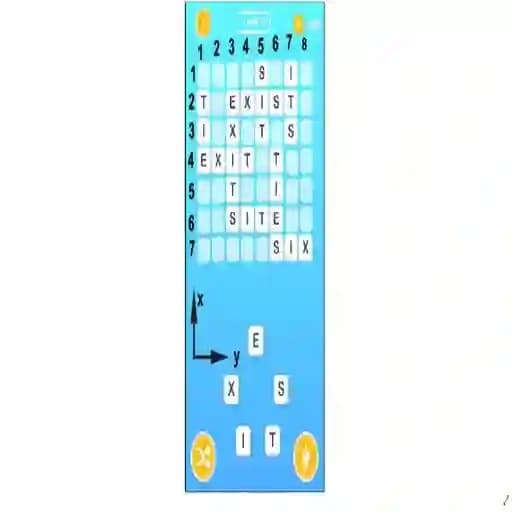
Game Overview
What is Word Cross?
Word Cross is a crossword puzzle game developed by YAKPI. It belongs to the Puzzle genre and is tagged under crossword games. This game is designed to be enjoyable for players of all ages and genders. While it is mobile-ready for both iOS and Android, it is not specifically classified as kids-friendly.
Game Features
• Crossword Puzzle Format: Engage in a traditional crossword puzzle experience with letters to fill in a grid.
• Letter-Based Gameplay: Focus on forming words by selecting and arranging letters.
• Customizable Grids: Explore different grid layouts and challenge yourself with varying puzzle sizes.
• Increasing Difficulty: Progress through levels with escalating complexity.
• Solitaire Play: Enjoy a single-player experience without the need for multiplayer interaction.
How to Play Word Cross?
- Start the Game: Open the game and find yourself on the crossword puzzle screen.
- Locate Empty Spaces: Identify the empty spaces in the grid where you need to fill in letters.
- Think of Words: Use your vocabulary skills to think of words that fit the available spaces.
- Input Letters: Type the letters you believe fit the crossword puzzle.
- Submit Your Answer: Once you think you've filled in the correct letters, submit your answer.
- Complete the Puzzle: Repeat the process until all spaces are filled correctly, completing the puzzle.
Frequently Asked Questions
1. Is Word Cross free to play?
Yes, Word Cross is free to play and can be accessed on mobile devices.
2. Is Word Cross suitable for all ages?
Word Cross is suitable for players of all ages, including kids, teens, young adults, and adults.
3. Does Word Cross offer multiplayer options?
No, Word Cross is a single-player game, allowing you to enjoy the crossword puzzle experience on your own.
4. How are the words verified in the game?
The game uses an internal database to verify the correctness of the words you input.