
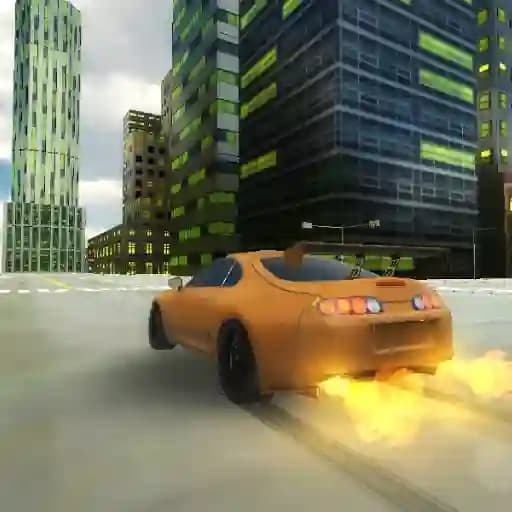
Game Overview
What is Supra Drift 3D?
Supra Drift 3D is an exciting racing game that lets you take the wheel of the iconic Toyota Supra. Designed for car enthusiasts, this game offers a thrilling experience where you can customize your vehicle, explore a realistic city environment, and master the art of drifting. With no traffic to avoid or fuel constraints, you're free to focus on driving, drifting, and having fun.
Game Features
• Customization Options: Choose your car's color, select a unique body-kit, and tune your Supra to your liking.
• Realistic City Environment: Explore a detailed 3D city with ample space to drift and race.
• Drifting Focus: Optimized physics for realistic drifting mechanics.
• Multiple Controls: Use arrow keys, WASD, or other keyboard inputs for a personalized driving experience.
• Special Effects: Toggle slow-motion, turn on/off lights, and record your gameplay for later playback.
How to Play Supra Drift 3D?
- Start the Game: Launch Supra Drift 3D and familiarize yourself with the city environment.
- Choose Your Controls: Decide whether to use arrow keys, WASD, or other inputs for steering.
- Drive and Drift:
- Use the handbrake (Spacebar) to initiate drifts.
- Hold the accelerator (Arrow Up or W) to gain speed for bigger drifts.
- Customize and Experiment: Adjust your car’s appearance and fine-tune its performance.
- Record and Replay: Use R to record your best drifts and P to play them back.
- Toggle Special Features: G for slow-motion, L for lights, and Q, E, Z for indicators.
Frequently Asked Questions
What controls can I use to play the game?
You can use arrow keys, WASD, or a combination of other keyboard inputs like Spacebar for the handbrake and G for slow-motion.
How do I record and replay my gameplay?
Press R to start recording your gameplay and P to play back the recorded session.
Can I customize my car in the game?
Yes! You can choose from various colors, body-kits, and tuning options to make your Supra unique.