
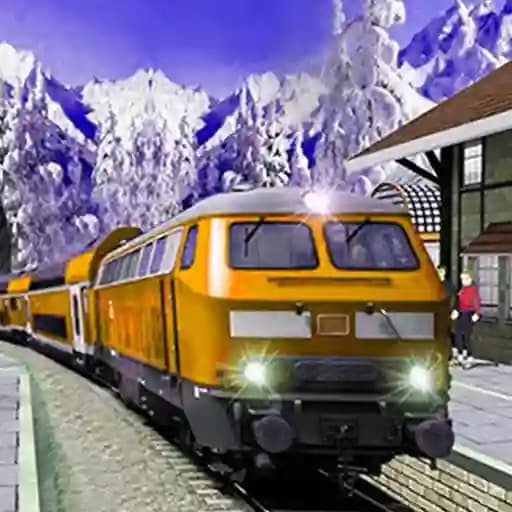
Game Overview
What is Subway Bullet Train Simulator?
Subway Bullet Train Simulator is a realistic train driving simulation game where players take on the role of a metro train driver. The game offers an exciting experience, allowing players to control 3D commercial trains and navigate through underground tunnels and city railways. It challenges players to master their driving skills, manage speed, and handle sharp turns while transporting passengers safely to their destinations. The game is designed to provide an adrenaline-packed thrill with realistic controls and immersive gameplay.
Game Features
• Realistic 3D graphics with detailed train models and city environments
• Multiple camera views for a better driving experience
• Immersive sound effects that simulate real train operations
• Speed control mechanics to handle sharp turns and avoid danger zones
• Passenger transportation system requiring players to pick up and drop off passengers
• Horn function to enhance the driving experience
How to Play Subway Bullet Train Simulator?
- Start the game: You will be placed in the driver's seat of the train.
- Control the speed: Use the WS keys or the Up and Down arrow keys to increase or decrease the train's speed.
- Master the turns: Be careful while navigating through sharp turns; slowing down is essential to avoid derailing.
- Use the horn: Press the H key to activate the train's horn.
- Change camera views: Adjust the camera angle to your liking for better control and visibility.
- Transport passengers: Stop at stations to pick up passengers and drop them off at their respective destinations.
- Avoid danger zones: Ensure you stop the train before entering any danger zones to avoid accidents.
Frequently Asked Questions
What are the basic controls of the game?
The basic controls are WS keys or Up/Down arrow keys for speed and the H key for the horn.
How do I slow down on sharp turns?
To slow down on sharp turns, reduce the speed using the Down arrow key or the S key before approaching the turn.
What is the primary objective of the game?
The primary objective is to safely transport passengers to their destinations while managing the train's speed and navigating through the subway system.