
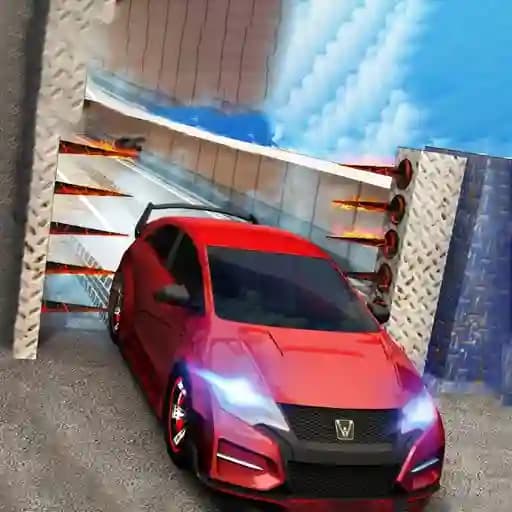
Game Overview
What is Stunt Car Escape Drive?
Stunt Car Escape Drive is an intense and action-packed driving game where you navigate through breathtaking environments filled with extraordinary obstacles. Players must drive recklessly to survive, enduring death-defying challenges such as swinging flails, portcullises, massive hammers, and other heart-pounding hurdles. The game offers a thrilling experience with stunning visuals and adrenaline-pumping gameplay.
Game Features
• Extreme Obstacles: Navigate through a variety of chaotic hindrances, including swinging flails, portcullises, and massive hammers.
• Multiple Camera Views: Switch between different camera angles using the C key to get the best view of the action.
• Vehicle Customization: Customize your car to suit your driving style and tackle obstacles with precision.
• Breathtaking Environments: Drive through diverse and visually stunning environments, each with unique challenges.
• Drifting and Stunts: Perform high-speed drifts and stunts to avoid obstacles and maintain control.
How to Play Stunt Car Escape Drive?
- Use WASD keys or arrow keys to control your car's movement.
- Press the Spacebar to activate the handbrake for sharp turns and quick stops.
- Use the C key to switch between different camera views for better visibility.
- Drive through the challenging environments, avoiding obstacles and maintaining control to survive.
- Drift and perform stunts to navigate through tight spaces and evade hazards.
Frequently Asked Questions
What are the main challenges in the game?
The main challenges include navigating through death-defying obstacles like swinging flails, portcullises, and massive hammers while maintaining control of your car.
How do I change the camera view?
You can switch between different camera views by pressing the C key.
Is the game suitable for kids?
No, the game is not explicitly kid-friendly as it involves intense action and dangerous obstacles, making it more suitable for teens and adults.