
Game Overview
What is Real Sports Flying Car 3d?
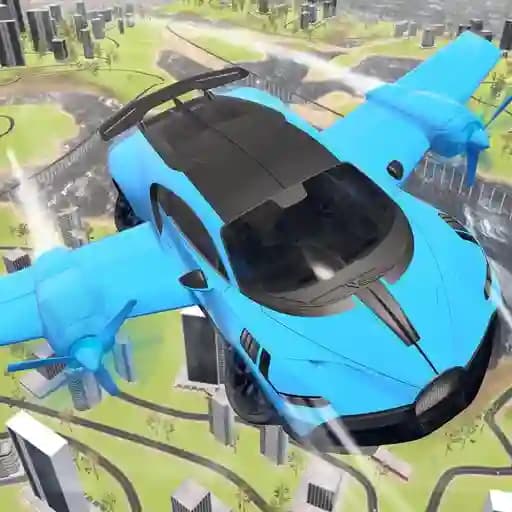
Real Sports Flying Car 3d is an exciting 3D game that combines the thrill of driving and flying. Players can transform their car into a flying vehicle with just a button press, exploring an open-world city environment. The game offers a unique blend of driving and flying mechanics, allowing users to experience the freedom of both modes seamlessly. With realistic physics and stunning graphics, this game is perfect for fans of racing, driving, and aviation.
Game Features
• Dual-Mode Vehicle: Switch between driving and flying modes effortlessly.
• Realistic Physics: Experience realistic car handling and flight dynamics.
• Stunt Capabilities: Perform flips and jumps by disabling the flying feature mid-air.
• Customizable Controls: Adjust settings to suit your playstyle.
• Nitro Boost: Gain speed with the nitro feature for a adrenaline-packed experience.
• HD Graphics: Enjoy stunning visuals and dynamic camera angles.
• Open World: Explore a vast, immersive city environment.
• Responsive Controls: Smooth and intuitive gameplay.
How to Play Real Sports Flying Car 3d?
- Use W to accelerate and S to move backward.
- Steer left with A and right with D.
- Press F to toggle between flying and landing modes.
- Activate nitro with L or Shift for a speed boost.
- Reset your car position using R.
- Lock or unlock the cursor with C.
- Pause the game with P or Esc for a break.
- Perform stunts by disabling flying mode while airborne.
Frequently Asked Questions
How do I switch between driving and flying modes?
Press the F key to toggle between flying and landing modes.
Can I perform stunts in the game?
Yes, disable the flying feature while airborne and perform flips and jumps.
How do I speed up quickly?
Use the nitro boost by pressing L or Shift.
How do I reset my car?
Press R to reset your car to its starting position.
Can I pause the game?
Yes, press P or Esc to pause the game.