
Game Overview
What is Rapid Rush?
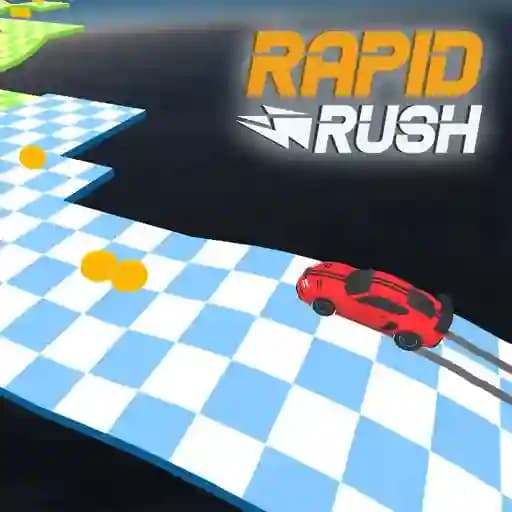
Rapid Rush is an endless runner game that challenges your reflexes and agility in a fast-paced, action-packed environment. You take control of a character speeding endlessly forward, with the simple goal of survival. The core mechanic revolves around quick directional changes using a single input. By pressing a button, your runner shifts their path, while releasing it returns them to their original direction. Dodge obstacles, collect gleaming coins, and work towards unlocking exciting new characters like a clever boy and a powerful truck, all developed by Instant Games Studio for a truly addictive experience.
Game Features
• Simple One-Button Mechanics: Control your character's direction with a single, intuitive button press.
• Endless Runner Gameplay: Test your skills and see how long you can survive on an infinitely scrolling track.
• Unlockable Characters: Earn coins during your run to unlock new characters, including a boy and a truck, each adding a fresh visual style.
• Increasing Speed & Difficulty: The pace continuously accelerates, pushing your reflexes to the limit as you progress.
• Engaging Coin Collection: Gather coins scattered along the path as you run to achieve your unlocking goals.
• Addictive Arcade Action: A lightweight and fast game designed for quick sessions and high-score chasing.
How to Play Rapid Rush?
- Begin your run! Your character will automatically move forward along the endless track.
- Press and hold the left mouse button to make your character change direction (e.g., move from the left lane to the right lane).
- Release the left mouse button to have your character revert back to their original direction.
- Navigate swiftly to avoid obstacles that appear in your path. A single collision will end your run.
- Maneuver to collect coins that you pass over. These are essential for unlocking new playable characters.
- Survive for as long as possible and aim for a new high score as the game's speed gradually increases.
Frequently Asked Questions
What is the main objective in Rapid Rush?
Your primary goal is to survive for as long as possible by skillfully changing your character's direction to dodge oncoming obstacles. A secondary, rewarding objective is to collect coins to unlock new characters.
What do the coins do in the game?
Coins are the in-game currency you collect during your run. Once you gather a required amount, you can permanently unlock new characters from the selection menu, such as the boy or the truck, giving you a new runner to master the tracks with.
How do I control the character?
The controls are designed to be simple and responsive. You only need the left mouse button. Click and hold it to change your runner's lane or path, and release the button to return them to where they were.