
Game Overview
What is Photo Escape?
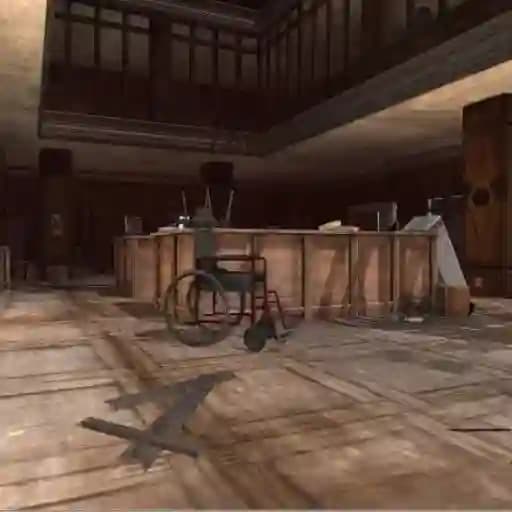
Photo Escape is a fun and unique first-person escape game set in a spooky asylum. Players must navigate through a haunting environment, using their wits and camera to uncover clues and find a way out. The game combines elements of horror, adventure, and puzzle-solving, making it an immersive experience for fans of escape games.
Game Features
• Unique Camera System: Use your camera to take photos of interesting objects or environments, which may help uncover hidden clues.
• Spooky Atmosphere: Explore a creepy asylum filled with eerie sounds and unexpected scares.
• Interactive Environment: Open doors, interact with objects, and solve puzzles to progress through the game.
• First-Person Perspective: Experience the game from a personal, immersive viewpoint as you move through the asylum.
• Survival Elements: Be cautious, as danger could lurk around every corner.
How to Play Photo Escape?
- Move Around: Use the W, A, S, D keys to navigate through the asylum.
- Lock Cursor: Press L to lock the cursor and keep it centered during gameplay.
- Activate Camera: Use E to activate or deactivate your camera.
- Snap Photos: Take photos by clicking the left mouse button (LMB) or pressing F.
- Zoom Camera: Use the right mouse button (RMB) to zoom in or out with the camera.
- Interact with Doors: Press Q to open or close doors.
- Jump: Use the Spacebar to jump over obstacles or reach higher areas.
- Run: Hold Shift to run faster through the asylum.
- Change Modes: Use the arrow keys to switch between camera modes or other game modes.
- Select Mode: Press Enter to select a mode or interact with objects.
- Pause Menu: Access the menu by pressing Esc.
Frequently Asked Questions
What happens if I get stuck?
If you get stuck, try taking photos of your surroundings or interacting with every object in the room. You might uncover a hidden clue or puzzle.
How do I use the camera effectively?
The camera is crucial for finding clues. Use it to zoom in on objects, capture suspicious patterns, or reveal hidden messages that might aid your escape.
Can I run or move faster?
Yes! Hold the Shift key to run, allowing you to move through the asylum more quickly. This is especially useful when you sense danger nearby.