
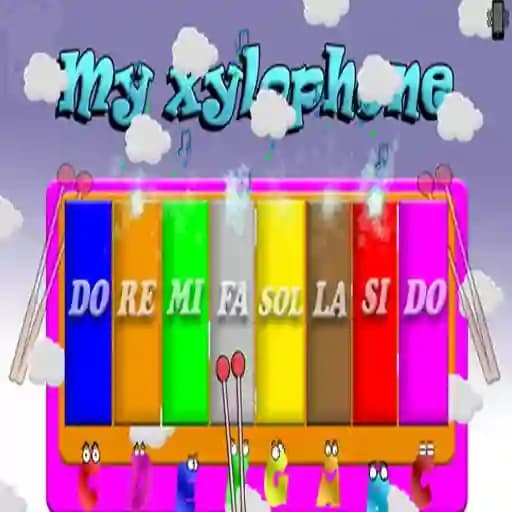
Game Overview
What is My xylophone?
My Xylophone is a music-based game designed to bring the joy of playing a xylophone to your fingertips. It’s an interactive learning tool that allows users to explore musical notes while enjoying vibrant animations and feedback. The game is perfect for kids and anyone looking to engage with music in a fun and intuitive way.
Game Features
• Glowing Keys: The xylophone keys light up when touched, providing visual feedback.
• Animations: Every key press triggers colorful animations, making the experience more engaging.
• Vibration Feedback: On mobile devices, the keys vibrate when touched, enhancing the sensory experience.
• Customization: The vibraphone feature can be deactivated for a different playing experience.
• User-Friendly Design: Suitable for players of all ages, including children.
How to Play My xylophone?
- Start Playing: Open the game and tap or click on the xylophone keys.
- Enjoy Feedback: Each key press will trigger a sound, light up the key, and display animations.
- ** Experiment with Notes**: Try different combinations of notes to create your own melodies.
- Feel the Vibration (Mobile): If playing on a mobile device, you’ll feel a slight vibration with each key press.
- Customize Your Experience: Turn the vibraphone feature on or off to change the sound output.
- Keep Playing: There’s no end goal—just enjoy the musical experience and creativity!
Frequently Asked Questions
What happens when I touch a key?
When you touch a key, it lights up, plays the corresponding note, and triggers an animation. On mobile devices, you’ll also feel a vibration.
Can I turn off the vibraphone feature?
Yes, the vibraphone feature can be deactivated in the game settings for a different playing experience.
Is My Xylophone suitable for young children?
Absolutely! The game is designed to be user-friendly and engaging for kids, helping them learn musical notes in a fun way.