
Game Overview
What is Monster Truck Puzzle?
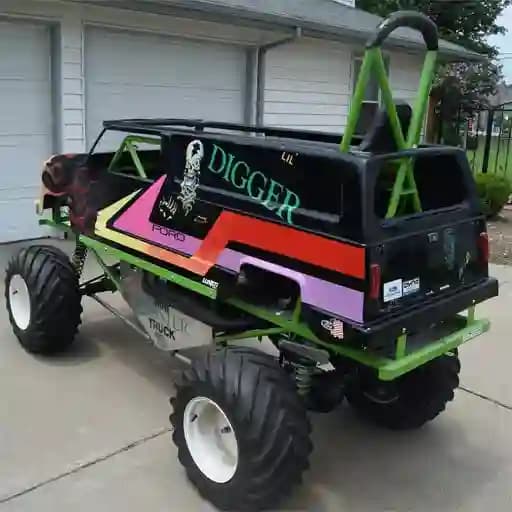
Monster Truck Puzzle is a jigsaw puzzle game featuring 6 exciting images of monster trucks. Ideal for puzzle enthusiasts, this game offers a fun and challenging way to keep your mind sharp. With its user-friendly design, it appeals to players of all ages, from kids to adults.
Game Features
• 4 Difficulty Levels: Choose from puzzles with 16, 36, 64, or 100 pieces to challenge your skills progressively.
• 6 Monster Truck Images: Each puzzle features a unique and dynamic image of a monster truck, ensuring fresh and exciting gameplay every time.
• Engaging and Relaxing: Perfect for players who enjoy casual, brain-stimulating activities.
• Suitable for All Ages: Designed to be enjoyable for kids, teens, and adults alike.
• Intuitive Controls: Easy-to-use interface supports both mouse and touch inputs, making it accessible across devices.
How to Play Monster Truck Puzzle?
- Start a Puzzle: Select one of the 6 monster truck images to begin.
- Choose Difficulty: Pick from 16, 36, 64, or 100 pieces to match your skill level.
- Drag and Arrange: Use your mouse or finger to drag puzzle pieces into place.
- Check Progress: As you arrange pieces, the preview feature helps you track your progress.
- Use Tools: Utilize the rotate feature to adjust pieces for a better fit.
- Complete the Puzzle: When all pieces are correctly placed, the puzzle is solved!
Frequently Asked Questions (FAQs)
1. Are there different difficulty levels in Monster Truck Puzzle?
Yes! The game offers four difficulty levels: 16, 36, 64, and 100 pieces. Choose a level that matches your skill and preference for a more enjoyable experience.
2. Is Monster Truck Puzzle suitable for children?
Absolutely! The game is designed to be fun and challenging for players of all ages, including kids. The intuitive controls and engaging visuals make it a great option for younger players.
3. Can I play Monster Truck Puzzle on both desktop and mobile devices?
While the game is optimized for desktop play, its touch-friendly controls also make it accessible on mobile devices. Simply use your finger to drag and arrange the puzzle pieces.
4. How do I rotate puzzle pieces?
To rotate a piece, select it and use the rotate feature (if available). This helps in fitting pieces together more effectively.
5. Are there hints or additional tools to help solve the puzzles?
Yes! You can use the preview feature to see the completed image and help guide your puzzle-solving process.