
Game Overview
What is Mathematical crossword?
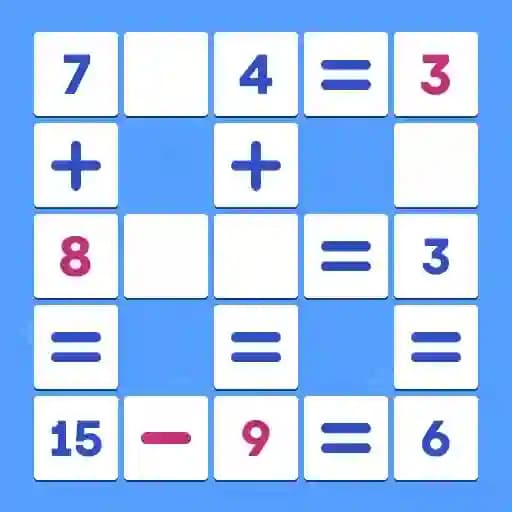
Mathematical crossword is a math puzzle game where players solve randomly generated crosswords by filling in numbers and arithmetic symbols. The game offers customizable difficulty levels and the option to enable or disable arithmetic symbols. It also features an Arcade mode, where players solve crossword puzzles step by step to earn ranking points, with the difficulty increasing after each completed puzzle. Progress can be saved and Arcade mode can be exited at any time through the game menu.
Game Features
• Randomly generated crosswords: Ensuring a fresh challenge every time.
• Customizable difficulty: Choose your preferred skill level.
• Arithmetic symbols toggle: Enable or disable symbols as needed.
• Arcade mode: Solve crosswords step by step to earn ranking points, with increasing difficulty after each puzzle.
• Save and exit: Pause and resume progress anytime via the game menu.
How to Play Mathematical crossword?
- Place numbers and symbols: Fill in the empty cells on the playing field with numbers and arithmetic symbols.
- Match the example: Ensure the numbers and symbols you place create correct mathematical results as shown in the crossword example.
- Drag or click to place: Use your finger or mouse to drag numbers and symbols to empty cells, or click on an empty cell and select the desired number or symbol.
- Save progress: Use the game menu to save your progress, especially in Arcade mode, or exit the game at any time.
Frequently Asked Questions
What is Arcade mode?
Arcade mode is a challenging game mode where you solve crossword puzzles step by step to earn ranking points. After each completed puzzle, the difficulty increases.
Can I save my progress?
Yes, you can save your progress at any time through the game menu, especially useful in Arcade mode.
Do I need to use arithmetic symbols?
No, you can toggle arithmetic symbols on or off based on your preference, making the game more flexible for different skill levels.