
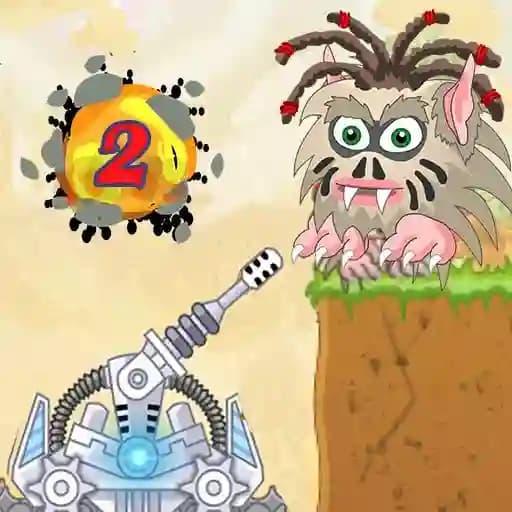
Game Overview
What is Laser Cannon 2?
Laser Cannon 2 is an exciting and improved version of the classic arcade-style shooter game where players use a powerful laser cannon to destroy waves of monsters. The game offers a fun and challenging experience with enhanced graphics and gameplay compared to its predecessor.
Game Features
• Classic Arcade Gameplay: Engage in a simple yet addictive shooting mechanic.
• Monster Variety: Face different types of monsters that require strategic thinking to defeat.
• Power Shots: Charge up your laser for more powerful blasts by holding the mouse button.
• Cannon Movement: Use WASD or arrow keys to reposition your cannon for better angles.
• Level Progression: Progress through increasingly difficult levels as you refine your skills.
How to Play Laser Cannon 2?
- Aim and Shoot: Use your mouse to aim at the monsters on the screen and click to shoot.
- Charge Shots: Hold down the mouse button to charge your laser for a more powerful shot.
- Move Your Cannon: Use the WASD keys or arrow keys to move your cannon left, right, up, or down to avoid obstacles and get better shooting angles.
- Destroy All Enemies: Continue shooting and strategizing until all monsters in the level are defeated to progress to the next stage.
Frequently Asked Questions
What is the main objective of Laser Cannon 2?
The main goal is to shoot, squash, blow up, and destroy all the monsters in each level using your laser cannon.
How do I charge a power shot?
To charge a power shot, simply hold down the mouse button for a few seconds before releasing it to unleash a more powerful blast.
Can I move my cannon during gameplay?
Yes, you can move your cannon using the WASD keys or the arrow keys to reposition yourself for better shooting angles or to avoid obstacles.