
Game Overview
What is Horse Jumping Show 3D?
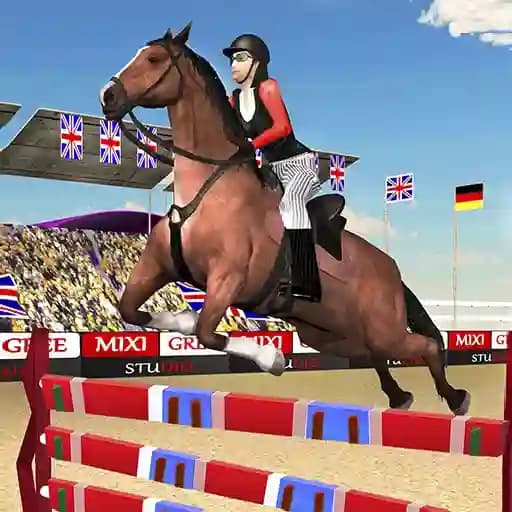
Horse Jumping Show 3D is a 3D horse riding simulation game where players take control of a horse to navigate through a track filled with obstacles. The game is designed to showcase the thrill and beauty of horse riding, offering an immersive experience with challenging jumps and dynamic gameplay. Whether you're a horse riding enthusiast or just looking for an exciting adventure, this game promises to deliver an unforgettable ride.
Game Features
• 3D Graphics: Stunning visuals and realistic horse models for an immersive experience.
• Obstacle Course: Navigate through a challenging track filled with jumps and barriers.
• Multiple Speed Settings: Adjust your horse's speed to tackle obstacles effectively.
• Horse Customization: Personalize your horse to suit your riding style.
• Immersive Sound Effects: Realistic audio that enhances the riding experience.
• Challenging Gameplay: Test your skills with increasingly difficult obstacles and tracks.
How to Play Horse Jumping Show 3D?
- Mount the Horse: Press F to saddle up and start riding.
- Control the Horse: Use the W, A, S, D keys to move the horse forward, backward, left, or right.
- Jump Over Obstacles: Press the Spacebar to make the horse jump over obstacles.
- Adjust Speed: Use keys 1, 2, 3 to change the horse's speed and better navigate the track.
- Complete the Track: Successfully clear all obstacles to finish the track and achieve the best time.
Frequently Asked Questions
What is the objective of Horse Jumping Show 3D?
The objective is to ride your horse through a track filled with obstacles, jumping over them to complete the course successfully.
How do I make the horse jump?
Press the Spacebar to make the horse jump over obstacles.
Can I change the horse's speed during the game?
Yes, you can adjust the horse's speed using keys 1, 2, 3 to slow down or speed up as needed.