
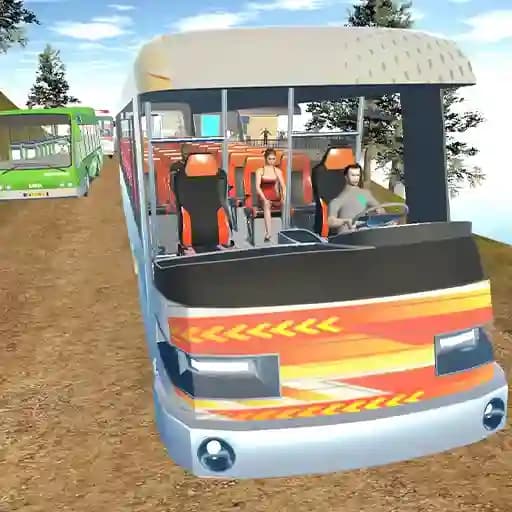
Game Overview
What is Hill Station Bus Simulator?
Hill Station Bus Simulator invites players to step into the shoes of a skilled bus driver navigating the challenging terrains of picturesque hill stations. Your mission is to efficiently transport passengers through winding roads, steep ascents, and captivating landscapes while managing a thriving bus service. The game offers an engaging blend of realistic driving simulation, strategic decision-making, and immersive experiences.
Game Features
- Realistic Physics and Driving Mechanics: Experience the thrill of driving on challenging terrains with authentic physics.
- Scenic Hill Stations: Explore breathtaking hill stations with winding roads and steep climbs.
- Multiple Camera Views: Switch between different camera angles for a better driving experience.
- Passenger Management: Pick up and drop off passengers while ensuring their safety and comfort.
- Weather Conditions: Drive through various weather conditions, adding to the game's realism and difficulty.
- Bus Customization: Upgrade and customize your bus to improve performance and aesthetics.
How to Play Hill Station Bus Simulator?
- Select Your Bus and Route: Choose your bus and the route you want to drive.
- Start Driving: Use the arrow keys or WASD to control the bus's movement.
- Apply Handbrake: Press the Spacebar to apply the handbrake, especially on steep slopes.
- Change Camera View: Use the C key to switch between different camera angles for better visibility.
- Reset Bus Position: If your bus gets stuck or goes off-road, press R to reset to the nearest safe position.
- Follow Traffic Rules: Ensure to follow traffic rules and avoid obstacles to maintain passenger safety.
- Reach Destination: Successfully navigate through the route and reach your destination to complete the level.
Frequently Asked Questions
What are the primary controls for driving the bus?
The primary controls are the arrow keys or WASD for movement, Spacebar for the handbrake, and C to change the camera view.
How do I reset my bus if it gets stuck?
You can reset your bus to the nearest safe position by pressing the R key.
Can I customize my bus?
Yes, you can upgrade and customize your bus to improve its performance and aesthetics as you progress through the game.