
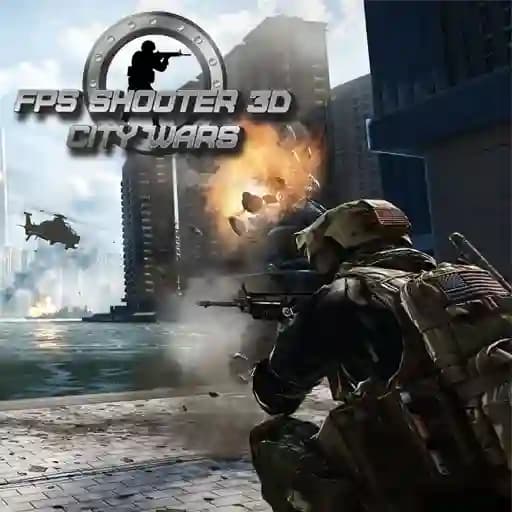
Game Overview
What is FPS Shooter 3D City Wars?
FPS Shooter 3D City Wars is an exciting and challenging first-person shooter (FPS) game where you and your team engage in intense combat against terrorist forces. Set in a 3D urban environment, the game requires quick reflexes and strategic thinking to dismantle terrorist organizations and secure victory.
Game Features
• 3D Graphics and Immersive Gameplay
• Action-Packed Combat
• Variety of Weapons and Equipment
• Dynamic Movement Mechanics
• Team-Based Missions
• Customizable Controls
• Intense Urban Warfare
How to Play FPS Shooter 3D City Wars?
- Use WASD keys to move your character (W = forward, A = left, S = backward, D = right).
- Press Space to jump and overcome obstacles.
- Reload your weapon with the R key.
- Crouch using the Ctrl key to take cover or avoid enemy fire.
- Lie down with the X key for better accuracy or stealth.
- Activate Time Dilation with the T key to slow down time momentarily.
- Aim using the Right Mouse Button for precise targeting.
- Shoot with the Left Mouse Button to eliminate enemies.
- Use Q and E to tilt left or right for quick evasive maneuvers.
- Pause the game with the Esc key to take a break or adjust settings.
Frequently Asked Questions
What is FPS Shooter 3D City Wars about?
FPS Shooter 3D City Wars is a first-person shooter game where players fight against terrorists in a 3D urban environment. It focuses on action-packed combat and tactical team play.
How do I reload my weapon?
To reload your weapon, press the R key. This will replenish your ammo during combat.
Is the game playable in multiplayer mode?
While the game primarily focuses on single-player missions, team-based missions allow for collaborative play, making it a great option for team coordination and strategy.