
Game Overview
What is Falling Blocks - Halloween Challenge?
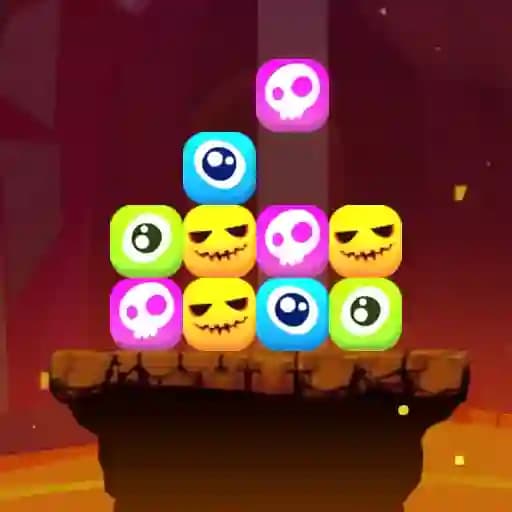
Falling Blocks - Halloween Challenge is a thrilling match-3 arcade game designed for the Halloween season. Players match 3 or more spooky blocks, such as pumpkins, ghosts, and skulls, as they fall from above. The game requires quick reflexes and strategic thinking to clear the board and prevent block pile-ups. With vibrant Halloween visuals and addictive gameplay, it offers entertainment for all ages. Challenge yourself to set high scores and embrace the Halloween spirit!
Game Features
• Match-3 Gameplay: Match 3 or more spooky blocks to clear them.
• Power-Ups: Use block refreshing and bomb creation to aid your progress.
• Online Leaderboard: Compete with others to achieve the highest score.
• Halloween-Themed Graphics: Enjoy festive visuals and seasonal charm.
• Keyboard Controls: Use left/right keys to move blocks, R to refresh, and B to create bombs.
• Mobile-Friendly: Play on both desktop and mobile devices.
How to Play Falling Blocks - Halloween Challenge?
- On Mobile: Touch the screen where you want to place the block.
- On Desktop: Click the screen where you want to place the block.
- Keyboard Controls:
- Use Left/Right Keys to move the block left or right.
- Press R to refresh blocks.
- Press B to create a bomb.
- Keyboard Controls:
- Match 3 or more blocks of the same type to clear them and score points.
- Prevent blocks from piling up by clearing them quickly.
- Use power-ups strategically to clear the board faster.
Frequently Asked Questions
What is the main objective of the game?
The main objective is to match 3 or more identical spooky blocks to clear them from the board before they pile up.
Can I play the game on both mobile and desktop?
Yes, the game is mobile-ready and can be played on desktop as well.
How do I create a bomb in the game?
You can create a bomb by pressing the B key on your keyboard during gameplay.