
Game Overview
Dragon Battles Multiplayer
What is Dragon Battles Multiplayer?
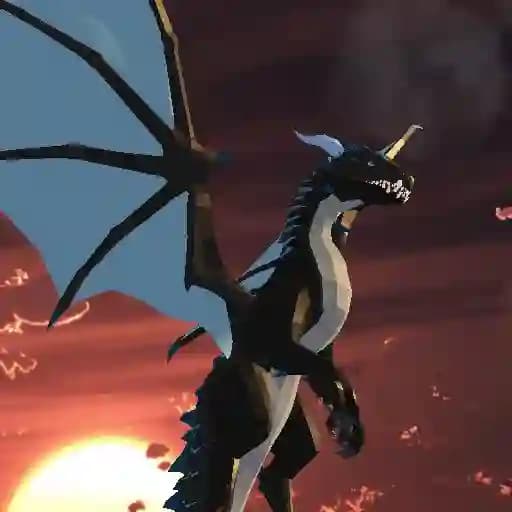
Dragon Battles Multiplayer is a thrilling dragon simulator game developed by JulGames. This action-packed game allows players to immerse themselves in intense PvP battles against other dragons or take on AI-controlled enemies. With its blend of strategic combat and fast-paced gameplay, Dragon Battles Multiplayer offers a unique experience where players can soar through the skies, breath fire, and clash with opponents in a vibrant 3D world.
Game Features
- Multiplayer Mode: Join real-time battles with other players worldwide.
- Customizable Dragons: Choose and customize your dragon to suit your playstyle.
- Diverse Attacks: Use fire breath, fireballs, and melee attacks to dominate opponents.
- 3D World Exploration: Fly and explore a vast, detailed environment.
- Intuitive Controls: Easy-to-use keyboard and mouse controls for smooth gameplay.
- Chat Functionality: Communicate with other players during battles.
How to Play Dragon Battles Multiplayer?
- Movement: Use WASD keys or arrow keys to move your dragon.
- Flying: Press Space to take to the skies and navigate the 3D world.
- Sprinting: Use L Shift to gain speed and chase down opponents.
- Jumping: Press Q to leap and avoid attacks.
- Diving: Press C to quickly descend.
- Dodging: Use R to evade incoming attacks.
- Attacks:
- Left mouse click to breath fire or shoot fireballs.
- Right mouse click for melee attacks.
- Chat: Press T to communicate with other players.
- Map: Use M to view the game map.
- Pause Menu: Press Esc or Tab to pause the game.
Frequently Asked Questions
What are the main objectives of Dragon Battles Multiplayer?
The primary objective is to engage in PvP battles or defeat AI-controlled enemies. Players can either fight other dragons or work together to eliminate AI threats.
Can I customize my dragon?
Yes, Dragon Battles Multiplayer allows players to customize their dragons, enabling a more personalized gaming experience.
How do I communicate with other players during the game?
You can use the chat feature by pressing T to send messages to other players in real-time.