
Game Overview
What is Crash Car Jigsaw?
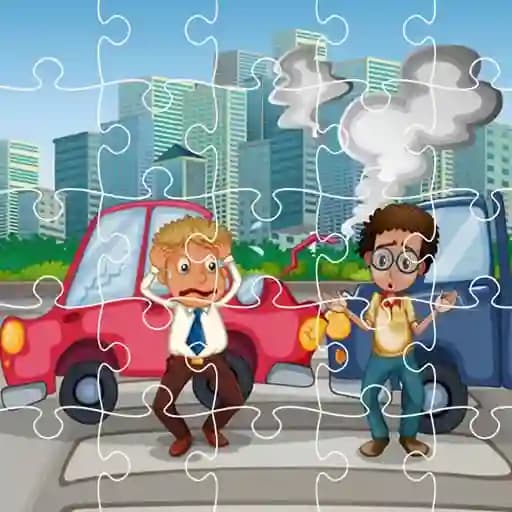
Crash Car Jigsaw is a unique puzzle game that combines the classic jigsaw format with dramatic crash car imagery. Instead of picturesque landscapes, you'll be solving puzzles featuring wrecked vehicles frozen in dramatic crash moments. The game challenges your spatial reasoning and puzzle-solving skills as you reconstruct these intense automotive scenes piece by piece. It's both a brain-teasing puzzle experience and an unconventional look at automotive photography, perfect for players who enjoy methodical gameplay with some unexpected visual content.
Game Features
• Crash-Focused Puzzles: Assemble jigsaw puzzles featuring realistic crashed car images for a distinctive puzzling experience
• Multiple Crash Scenes: Choose from various wrecked vehicle photographs, each presenting a unique puzzle challenge
• Simple yet Engaging Gameplay: Easy-to-learn mechanics that gradually increase in complexity
• Wide Audience Appeal: Suitable for teens and adults who enjoy automotive themes and brain-teasing puzzles
• Progressive Difficulty: Puzzles gradually become more challenging as you advance through the game
• Casual Gaming Experience: Perfect for short gaming sessions and relaxation between activities
How to Play Crash Car Jigsaw?
- Choose a crashed car image from the available selection screen.
- Watch as your chosen crash scene is divided into shuffled puzzle pieces.
- Tap and drag individual pieces to move them around the gameplay area.
- Rotate pieces by tapping additional controls or using designated rotation keys when necessary.
- Fit pieces together by identifying matching edges and visual patterns from the crashed vehicle.
- Continue arranging all pieces until the full crashed car image is completely restored.
- For keyboard play, use WASD or arrow keys to navigate between pieces, press Z or X to rotate pieces, and use spacebar to confirm placements.
Frequently Asked Questions
What makes Crash Car Jigsaw different from other puzzle games?
Unlike traditional jigsaw puzzles that feature pleasant scenery or artwork, Crash Car Jigsaw focuses exclusively on wrecked and crashed vehicles, offering a more dramatic and unconventional puzzling experience.
Is this game appropriate for young children?
While the gameplay is accessible for various skill levels, the crash-themed content featuring damaged cars may not be suitable for very young players. The game is better suited for teens and adults.
Can I play with a mouse if I'm on a computer?
Absolutely! The game supports both touch controls on mobile devices and mouse controls on computers. You can click and drag pieces with your mouse, and use keyboard shortcuts for additional functions like rotating pieces.