
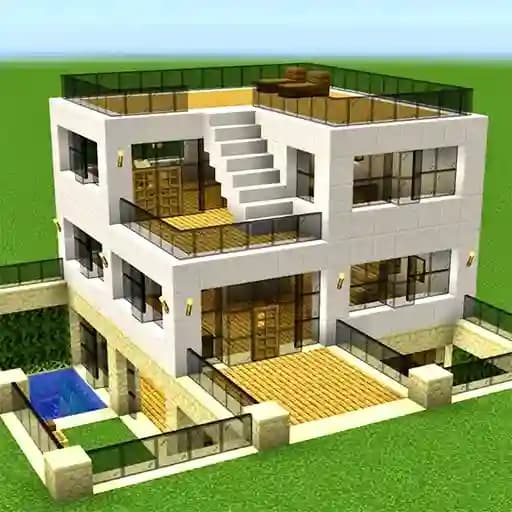
Game Overview
What is Craft World - Building Games?
Craft World - Building Games is a builder simulator where creativity knows no bounds. Players can construct various houses using more than 300 unique blocks and decorate rooms with a wide variety of decor and furniture. This game offers a sandbox experience where imagination is the only limit, making it perfect for fans of creative and crafting games.
Game Features
• 300+ Unique Blocks: A vast library of blocks to build anything you can imagine.
• Decoration Options: Customize your creations with various decor and furniture.
• Sandbox Mode: Explore and build without restrictions.
• Creative Freedom: Focus on building without resource gathering or survival mechanics.
• Exploration: Discover new possibilities and ideas.
• Movement Mechanics: WASD controls for seamless navigation.
• Kid-Friendly: Suitable for younger players with its simple and intuitive design.
How to Play Craft World - Building Games?
- Movement: Use the WASD keys to move around the world.
- Mine Blocks: Click and hold the right mouse button to mine blocks.
- Place Blocks: Use the left mouse button to place blocks and build structures.
- Inventory Management: Press Q to open and manage your inventory.
- Interact with Objects: Use the E key to perform actions or interact with objects.
- Flight Mode: Toggle flight mode with the F key for easier building.
- Change Camera: Press R to switch camera angles.
- Hide Interface: Use H to hide the interface for a cleaner view.
Frequently Asked Questions
What type of game is Craft World - Building Games?
Craft World is a sandbox building simulator focused on creativity and construction.
How do I move around in the game?
You can move using the WASD keys. You can also toggle flight mode with the F key for easier navigation.
How do I place blocks?
To place a block, simply left-click where you want to place it. Make sure you have the block selected in your inventory before placing it.