
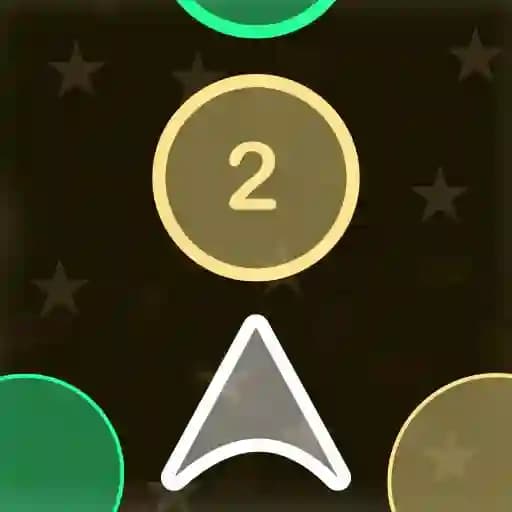
Game Overview
What is Color Ship Shooter?
Color Ship Shooter is an arcade shooter game where you control a spaceship at the bottom of the screen. Your mission is to destroy incoming objects by shooting them with bullets of the same color as the objects. Each object may require multiple hits to destroy, and the number of hits needed is displayed on the object. If you shoot an object with the wrong color, its strength increases, requiring even more hits to destroy it. The game is fast-paced and requires quick reflexes and strategic thinking.
Game Features
• Color Matching System: Shoot objects with the correct color to destroy them efficiently.
• Varied Objects: Different objects with unique strengths and required hit counts.
• Increasing Difficulty: Objects become stronger if shot with the wrong color.
• Color Swapping: Tap the sides of the screen to change your ship's color and adapt to incoming threats.
• Simple yet Challenging Gameplay: Easy to learn but difficult to master.
How to Play Color Ship Shooter?
- Start the Game: Tap on the screen to begin.
- Shoot Objects: Use your spaceship to shoot incoming objects by tapping on the screen.
- Match Colors: Ensure your bullets match the color of the objects to destroy them.
- Check Hit Count: Objects display the number of hits needed to destroy them.
- Change Color: Tap the left or right side of the screen to switch your ship's color.
- Avoid Wrong Shots: Shooting with the wrong color increases the object's strength.
Frequently Asked Questions
How do I change the color of my ship?
To change your ship's color, tap the left or right side of the screen. This allows you to switch between colors and match the incoming objects.
What happens if I shoot an object with the wrong color?
Shooting an object with the wrong color increases the number of hits required to destroy it, making it stronger and harder to eliminate.
How do I win the game?
Your goal is to destroy all incoming objects before they reach and damage your spaceship. Keep shooting with the correct colors to clear the screen and progress through the game.