
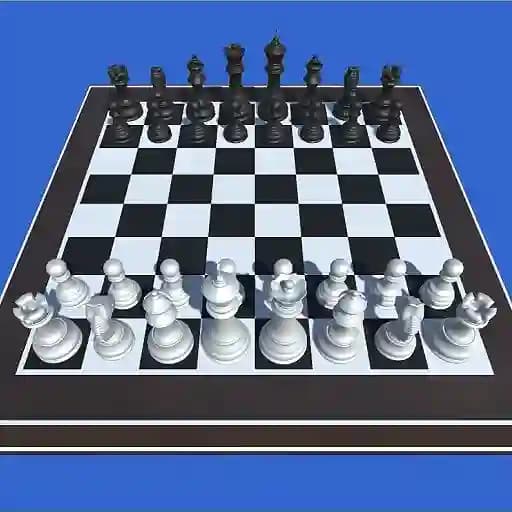
Game Overview
What is 3D Chess?
3D Chess is a modern twist on the classic chess game, offering a three-dimensional visual experience. Players can enjoy the game in both 2-player mode or against the computer, with adjustable difficulty levels to suit different skill levels. The game features 8x8 and 6x6 board options, as well as the ability to switch between 3D and 2D views, providing flexibility for players to customize their experience.
Game Features
- 3D and 2D view options for a unique visual experience
- Multiplayer mode for 2 players
- Single-player mode with 4 difficulty levels (Level 1: Easiest, Level 4: Smartest)
- 8x8 and 6x6 board sizes for different gameplay dynamics
- Intuitive controls with mouse or touch inputs
- Immersive sound effects for a realistic chess experience
How to Play 3D Chess?
- Launch the game: Start by opening the game on your preferred platform.
- Select your mode: Choose between 2-player mode or computer mode.
- In computer mode, select your desired difficulty level (Level 1 to Level 4).
- Choose your view: Toggle between 3D or 2D to match your preference.
- Start the game: Once settings are configured, the game will begin.
- Make your moves: Use your mouse or touch input to move pieces on the board.
- Save or load: You can save your progress or load a previous game to continue where you left off.
Frequently Asked Questions
What are the key differences between 3D and 2D views?
The 3D view offers a more immersive and visually engaging experience, while the 2D view provides a classic, simpler layout. Both views maintain the same gameplay mechanics.
Can I play 3D Chess offline with a friend?
Yes, the game supports 2-player mode, allowing you and a friend to play on the same device in offline, local multiplayer.
What is the difference between 8x8 and 6x6 boards?
The 8x8 board is the traditional chess setup, while the 6x6 board is a smaller, faster-paced version. The 6x6 board removes two squares from each side, making the game quicker while maintaining strategic depth.